
How to Handle Telegram Forum Topics in Bot Code
Forums are a special kind of group that is split into multiple topics. If your bot works in groups, you should verify that it handles forums correctly. This matters for support bots, community bots, and any bot that replies inside large group discussions.
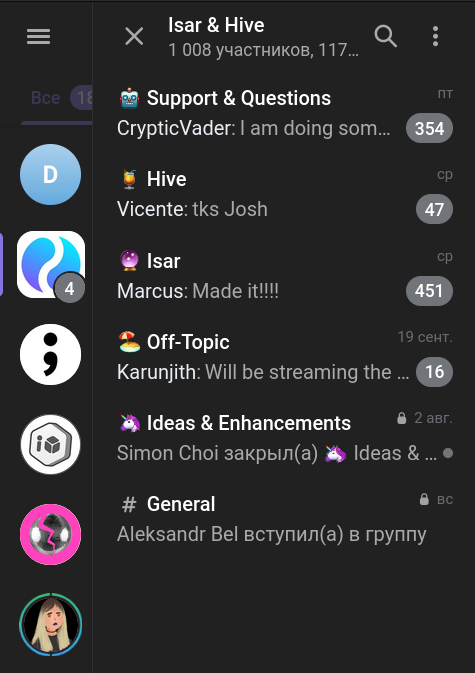
Use topic IDs
Use topic IDs to keep bot replies in the correct forum topic. A forum is a group with a special UI. You can even open a forum in regular chat view using the forum menu in official apps.
How topics work technically:
- When a topic is created, a system message “Topic created” appears
- All replies to this message fall into the topic
- The topic ID equals the system message ID
- The General topic is where all other messages go, and its ID equals 1
Reply inside the same topic
If your bot works in groups, consider how it'll behave when the group is a forum. For example, when a user sends a command, the bot should answer in the same topic—otherwise the response will appear in the General topic.
@bot.group_message
async def handle_group_message(message: Message, chat: ThisChat):
    if chat.forum:
        await message.reply('This is a forum, so I am replying to your message')
    else:
        await message.respond('This is not a forum, I am just texting')
Manage topics with the right admin rights
Your bot may open, edit, or close topics. In some forums, topic management is restricted for regular members, so ask to grant admin rights for your bot.