
How to Make Telegram Bots Work Well in Groups
Use group bots for moderation, support, games, alerts, and shared workflows. Groups are where people talk to each other, so bot behavior is more visible and more sensitive than in a private chat. Plan for the details that shape group bots: privacy mode, admin rights, public messages, and messages sent on behalf of groups or channels.
If you don't plan for groups, forbid adding your bot to groups in BotFather settings.
Ask users to add bot to the group
Users can add bots to groups, but bots cannot join groups on their own. A group may contain up to 20 bots.
In public groups (those with usernames), bots can only be added by administrators. Group admins can grant the bot permissions for deleting group members or performing other administrative actions.
Some bots can also be used in a group without joining it. With guest mode, a user mentions the bot and the bot can send one reply based on that specific message.
When your bot is added, react with a greeting message:
@bot.added_to_group
async def handle_join(chat: Chat):
    return 'Hello ' + chat.title
Keep group messages public and clean
Treat every group message as public. A bot cannot send a message that only one person in the group will see. For example, when a bot greets new members, all existing members will also receive this greeting message.
To keep the chat clean, the bot can automatically delete auxiliary messages after a certain period. Here is an example of deleting greeting messages after 30 seconds (unless the program is interrupted):
@bot.on(events.ChatAction(func=event.group and event.user_added and not event.user.is_self))
async def greet(event: events.ChatAction.Event):
    answer = await event.respond(f'Welcome to the group, {event.user.first_name}')
    await asyncio.sleep(30)
    await answer.delete()
If your bot needs to personally contact new group users, consider join requests to get PM permission—we will explore join requests later in the book.
Configure privacy mode for the messages you need
Keep privacy mode on for bots that react only to commands. Telegram protects group privacy by default and doesn't notify bots about non-command messages.
If you want your bot to see all chat messages, you need to disable the privacy mode.
Privacy mode is a BotFather setting that's activated by default. In this mode, the bot only gets updates about commands and other group messages that may address the bot. This includes:
- Commands
- Replies on bot messages, replies to replies and so on
- Messages mentioning the bot
- System messages
When privacy mode is off, the bot can see all ordinary user messages in groups. Messages from other bots are still limited, except for newer bot-to-bot communication flows and certain messages that Telegram explicitly exposes.
Also, if a bot is a group admin, it sees all messages regardless of the privacy mode setting.
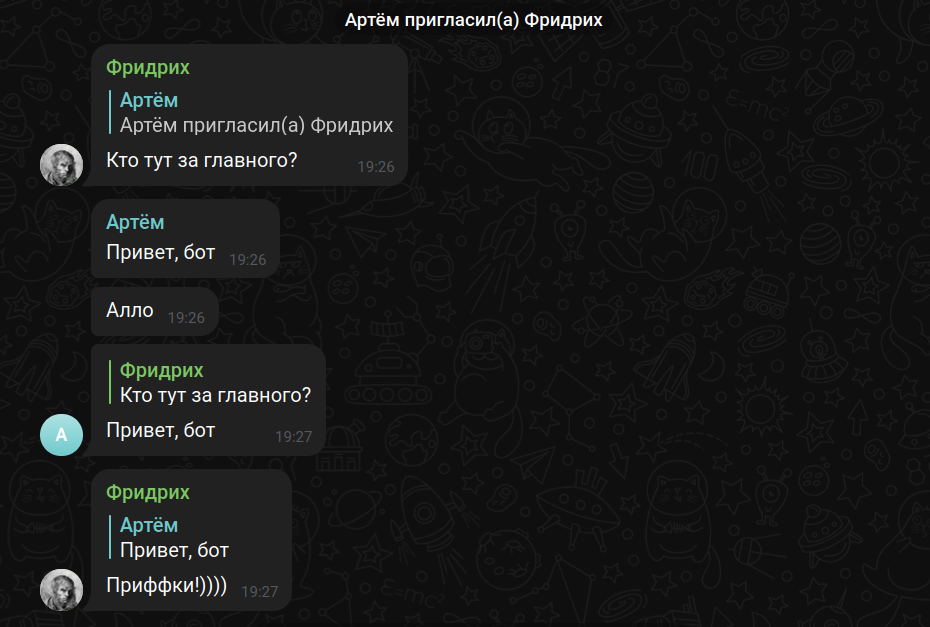
Troubles turning off privacy mode?
After disabling the privacy mode, you need to remove the bot from the group and add it back for the changes to take effect.
Mobile and desktop Telegram apps indicate whether the privacy mode is on in group member lists:

Force reply
If a bot with privacy mode enabled asks a question in a group, the user's response must be a reply for the bot to see it.
To make replying easier, a bot can send a “force reply” message which automatically initiates the reply interface for the user.
However, I don't recommend using force reply. In my opinion, automatic replies only confuse users.
Request only the admin rights you need
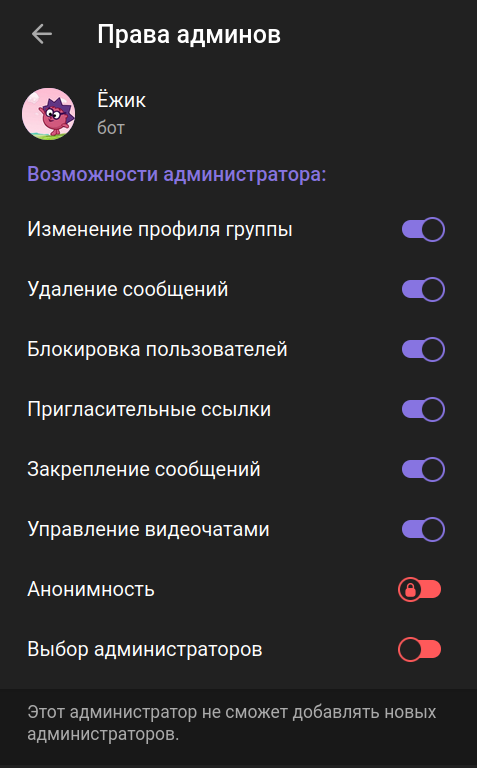
When a user promotes a bot to a group admin, they can select admin rights. There is a BotFather setting for specifying the admin rights suggested by default.
The right to remain anonymous, which allows users to send messages on behalf of the group, has no effect on bots.
Use member tags for visible roles
Groups can show member tags next to users' names. Admins may allow members to edit their own tags, or reserve tag management for admins.
Use member tags when the role should be visible in the chat. Bots can read tags in member-related data and, with the right admin permission, set tags for group members. This can be useful for role labels, paid community status, support queues, or onboarding state.
Moderate reactions sparingly
Group admins can remove individual reactions or all reactions from a specific user. Bots with suitable rights can use this for moderation workflows, but should do it sparingly: reactions are usually lightweight feedback, and removing them without a visible policy can confuse users.
Handle messages sent on behalf of groups and channels
Not only users can send messages in groups. Your program should correctly handle messages sent by other entities:
- Messages from a linked channel in a discussion group (API treats them as forwarded)
- Messages from a group by anonymous group admins
- Messages from public channels by premium users
Detect sender type
Determining chat type (e.g., for storing in a database):
from folds import ThisSender
from telethon.tl.types import Chat, Channel, User

...

@bot.group_message
async def handle_group_message(sender: ThisSender):
    if isinstance(sender, User):
        print('Message from user')
    if isinstance(sender, Channel) and sender.megagroup:
        print('Message from supergroup')
    if isinstance(sender, Channel) and not sender.megagroup:
        print('Message from channel')
Getting the sender's name:
name = sender.first_name or sender.title # one of these is not None