
Extensive Text Formatting in Telegram Messages
Sometimes you want to decorate text in your messages to highlight important things or reference URLs and users. There are a lot of formatting options in Telegram, so please don't get carried away :) The simpler, the better.
Markup elements in Telegram messages include:
- Bold text
- Italic text
- Underlined text
Strikethrough textMonospaced text- Links
- Spoilers (hidden text, see below)
- User mentions through their ID (see below)
- Block quotation (which can be expandable)
- Custom emoji (available only for bots with paid usernames)
A message may contain no more than 100 such markup elements. If you try to send a message with more, the rest will be ignored. In addition to them, a message may contain any number of username mentions. (Note that only five mentions will trigger user notifications; see the User mentions section below for details.)
Bot API lets you specify markup in HTML or Markdown. Telegram API doesn't include this built-in, but libraries like Telethon and Pyrogram provide similar syntax.
Monospaced text
Monospaced text can be formatted as an inline element (similar to <code> in HTML) or as a block (similar to <pre>).
When sending a monospaced text block, you can specify code language so that Telegram apps will apply syntax highlighting.
Spoilers
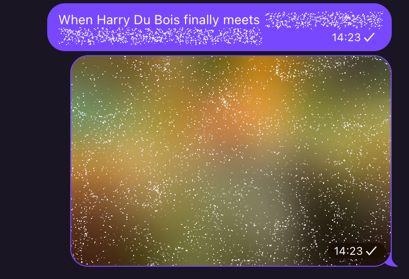
A spoiler is text hidden behind an animated cover that users can tap to reveal.
Pictures can be hidden with a spoiler as well, though this is not related to message markup.
User mentions
A mention is clickable text that links to a user profile. To create a mention using Bot API, you can embed a link in the format tg://user?ID=123456789. A username automatically becomes a mention when included in a message.
When mentioned in a group, a user receives a notification—but if a message contains more than five mentions, only the first five users get notified.
A bot can mention users by ID only if they're in the current chat or have enabled linking when forwarding messages. The bot must also have seen the user. (We'll discuss this concept on the page about working with users.)
Username mentions and ID mentions work differently:
- Username mentions are text references like @username. When clicked, Telegram looks up the current owner of that username.
- ID mentions embed the actual user ID. Recipients get the user's profile info with the message, so the mention stays valid even if the user changes their username.